Fix your LinkedIn profile before you send a single message
Your LinkedIn profile is your landing page now. What people check in the first four seconds, and the order to fix things in, Featured section included.
Every person you contact on LinkedIn does the same thing. They click your profile, look for about four seconds, and decide.
They aren't reading your career history. They're answering two questions. Is this a real person? And is this relevant to me? If either answer is fuzzy, they move on, and you never know it happened.
So think of your profile as your landing page now, not your resume. It's the page every message you send leads back to, and most people are sending outreach to a page they last touched when they changed jobs.
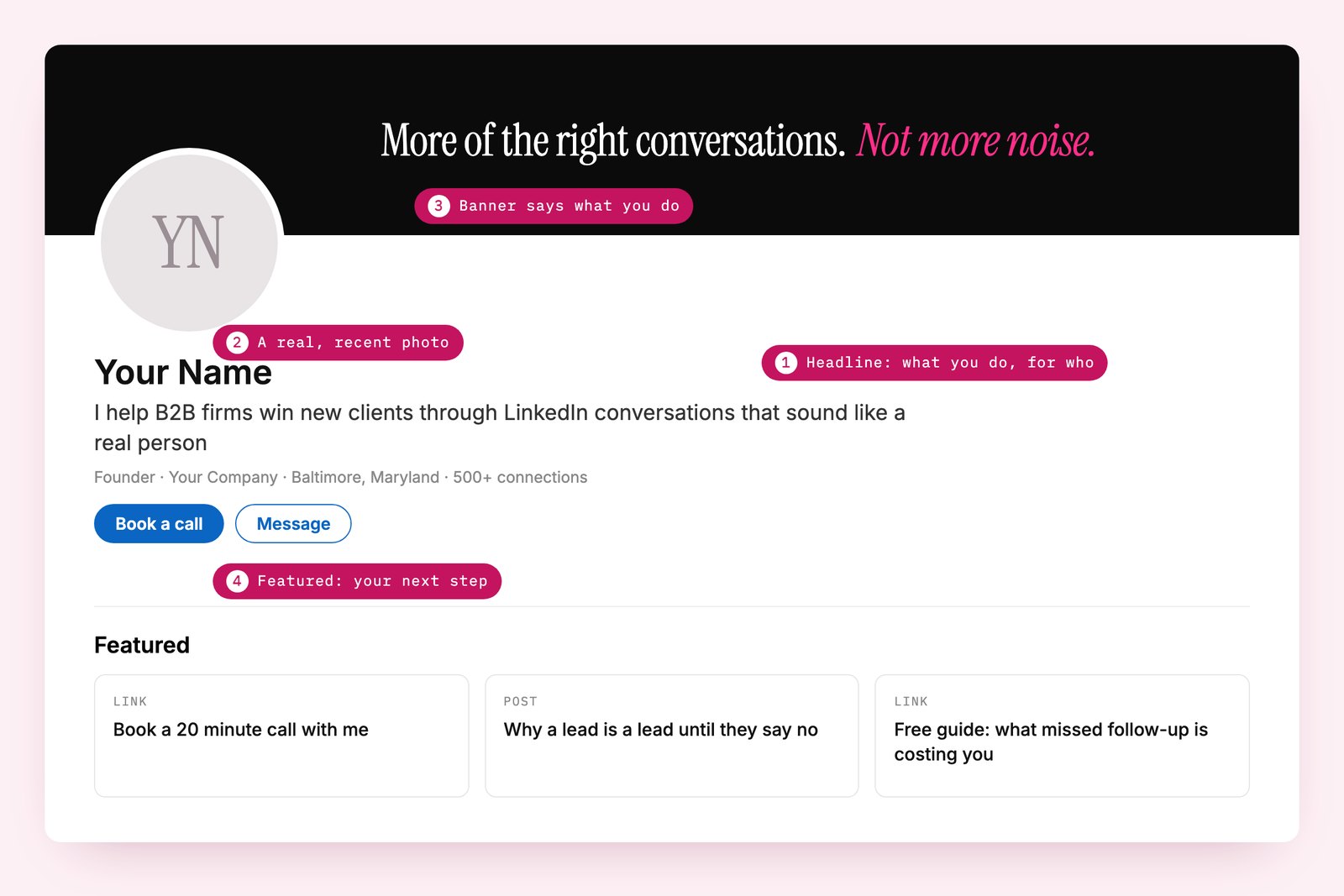
The order I'd fix your LinkedIn profile in
The headline first. It follows you everywhere, under your name in every request and every comment. "Founder at Kelsey Group" tells nobody anything. Say what you do and who it's for, in plain words, so someone reading only that line knows whether you're relevant.
Then the photo. Your real face, from this decade, looking like someone they'd enjoy a conversation with. People buy from people, not logos.
Then the banner. The default blue rectangle says you don't really use LinkedIn. Anything deliberate beats it: your positioning in a line of text, a photo of you working, client logos if you're allowed.
Then the Featured section. This is the most underused spot on LinkedIn. It sits right under your About section and you can pin anything there: your best posts, your booking calendar, a landing page, a free guide. It's where someone who likes what they see can take the next step without having to message you first.
The About section last. Write it in first person, to one reader, and open with the problem you solve rather than your history.
One test
Open your profile in a private browser window on your phone, so you see it the way a stranger does. Look for four seconds and close it.
If all you learned was a name and a company, that's all your prospects are learning too. A profile that isn't working usually shows up as a low acceptance rate.
Questions people ask
What should I put in my LinkedIn headline?
What you do and who you do it for, in plain words. Someone reading only your headline should know whether you're relevant to them.
What is the LinkedIn Featured section?
A space under your About section where you can pin posts, links and files, like your booking calendar, a landing page or a free guide. It gives people a next step without having to message you.
Should I fix my profile before doing LinkedIn outreach?
Yes. Almost everyone clicks your profile before they accept or reply, so it's the first thing your outreach gets judged on.
I fix the profile before the first message goes out on every campaign I run, because it's the cheapest win there is. Book a call with me.
Part of The LinkedIn lead generation guide.